Videocut Skills: AI Video Editing That Understands What You're Saying
- Smars
- Agent Skills , Open Source
- 06 Jun, 2026
You record a 19-minute talking-head video. You say the same sentence three times. You correct yourself mid-sentence. You say “um” forty times. The content is good but the pacing is unwatchable.
You open 剪映 (CapCut). You hit “smart cut silence.” It removes the dead air. It keeps all three versions of the same sentence. It keeps every “uh” and every failed take. It doesn’t understand language — it only sees audio waveforms.
Videocut Skills solves this with semantics. It’s a Claude Code plugin that edits spoken-word video the way a human editor would: by understanding what you actually said.
What You Get
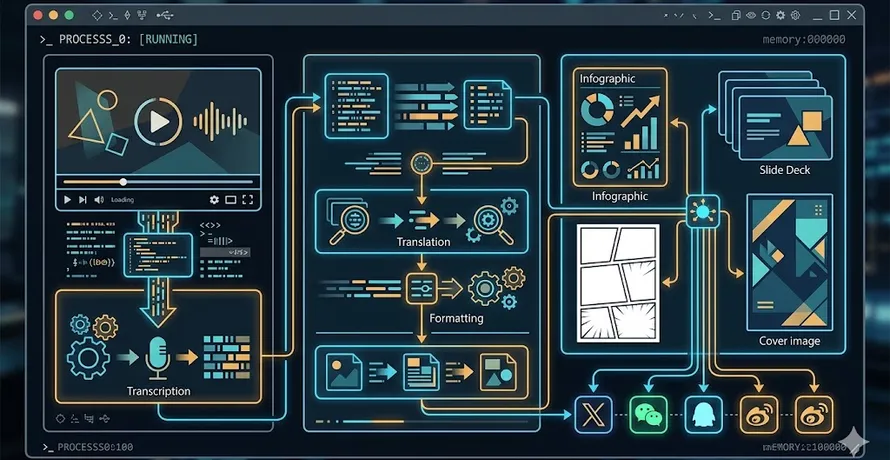
Videocut Skills turns Claude Code into a video editing agent. Five skills that form a complete pipeline, from raw footage to finished subtitled video.
- Semantic editing: Claude reads the transcript sentence by sentence, detecting repeated phrases, self-corrections (“I mean, actually…”), false starts, and filler words. Waveform-based editors can’t do this.
- Silence detection: configurable threshold (>0.3s default), auto-marked for removal
- Duplicate sentence detection: adjacent sentences sharing ≥5 characters at the start → keep the second, delete the first
- In-sentence repetition: “so let’s start so let’s start with the intro” → removes the duplicate chunk
- Custom dictionary for subtitles: fixes ASR errors on technical terms (Claude Code, MCP, API) that generic transcription always mangles
- Self-evolution: remembers your preferences — “keep appropriate ‘um’s as transitions,” “silence threshold to 1 second” — and applies them next time
The Pipeline
Five skills, used in sequence:
1. Install (/videocut:安装) — one-time setup. Checks Python, FFmpeg, Node.js. Downloads FunASR (~2GB) and Whisper large-v3 (~3GB).
2. Cut spoken content (/videocut:剪口播 video.mp4) — the core. Extracts audio, uploads to 火山引擎 (Volcengine) ASR for word-level timestamps, then Claude performs semantic review: silence, filler words, repetition, self-correction. Outputs a review webpage you open in browser.
3. Human review — a web UI at port 8899. Every potential cut is marked on a timeline. Click to jump to that moment, double-click to select/deselect, shift-drag to bulk-select. When you’re done, click “Execute Cut” → FFmpeg assembles the final video via filter_complex + trim.
4. Subtitles (/videocut:字幕) — Whisper transcription with dictionary-based correction. Review confirms spelling, then FFmpeg burns subtitles into the video.
5. HD export (/videocut:高清化, optional) — 2-pass encoding with sharpening. Matches source parameters, 1.2x bitrate.
Real Numbers
From the project’s own demo: a 19-minute raw recording produced 608 auto-detected issues — 114 silences, 494 speech errors and repetitions. The final cut was 72MB. One human review pass, one click to execute.
No timeline dragging. No waveform scrubbing. Claude read the transcript, flagged every problem, and the person just said yes or no.
Why This Beats Traditional Editors
剪映’s smart cut operates on audio alone. It sees silence and cuts it. It doesn’t know that sentence A and sentence B are the same sentence said twice. It doesn’t know that the host said “click the — actually, tap the button” and the first half should go.
Videocut uses Claude’s language model as the editor. The model reads the transcript. It understands that “so let’s, actually, I mean, let’s start” is three stabs at the same opening. It marks the first two for deletion and keeps the clean version. This is editing, not trimming.
For technical content creators especially, the subtitle dictionary is a killer feature. Whisper and 火山引擎 will both transcribe “Claude Code” as “cloud code” or “clawed code.” The custom dictionary fixes this before the subtitles hit the screen.
Setup
Clone and configure:
git clone https://github.com/Ceeon/videocut-skills.git ~/.claude/skills/videocut
cd ~/.claude/skills/videocut
cp .env.example .env
# Edit .env — add your 火山引擎 API Key
Then in Claude Code:
/videocut:安装The agent installs dependencies. After that, point it at a video and start editing.
What It Doesn’t Do
Videocut is built for spoken-word content — talking-head videos, tutorials, presentations. It won’t help with multi-camera edits, color grading, or creative montage. It’s a precision tool for a specific job.
The ASR step requires a 火山引擎 API key (free tier available). The subtitle skill downloads Whisper large-v3, which is ~3GB on disk.
On the upside, every editing decision is reviewable before execution. Claude proposes cuts; you approve them. No black-box editing.
Skills Are Production Tools
eulab showed skills creating educational content. Seedance2-Skill showed skills as prompt-engineering expertise. Videocut Skills shows something else: skills as production pipelines.
This isn’t a toy. It’s a tool someone built to solve their own editing bottleneck, with a web review UI, API integration, model downloads, and self-updating rules. Five skills that chain together into a workflow that takes a raw recording and outputs a polished video with subtitles.
The “self-evolution” skill is the most interesting piece. Every time you use it and give feedback — “keep some um’s for natural rhythm” — it updates a rule file. Next time, those preferences are applied automatically. The agent gets better at editing your content specifically.
Try It
Videocut Skills is MIT-licensed, 1.8k stars, 279 forks, built by Ceeon. Clone it, point it at a talking-head video, and let Claude edit.