Claw Code: Why AI Programming Needs Open-Source Agent Harnesses
- Smars
- Open Source , Agent , Developer Tools
- 29 May, 2026
Why This Project Exists
AI programming tools have evolved fast in the past year.
First, developers used AI mainly for code completion. Then AI moved into chat windows, helping us explain code, generate functions, debug errors, and write tests. Then came Cursor, Claude Code, Codex CLI, and others — tools that don’t just answer questions, but enter real code repositories, read projects, modify files, run commands, analyze errors, and work persistently toward a goal.
Behind this shift is a paradigm change.
Earlier AI programming tools competed on model capability. Whose model writes better code, has a longer context window, reasons faster — that was the game.
Now the competition is shifting to Agent Harness capability.
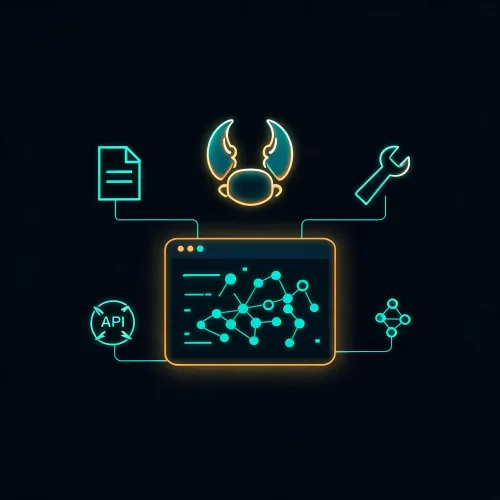
Claw Code sits at the center of this shift. Instead of building yet another AI chat window, it is doing something far more consequential: exposing the critical runtime layer behind AI coding agents — the Agent Harness itself — as open source.
1. Claude Code Opened the Door
To understand Claw Code, you first need to understand what Claude Code revealed.
Claude Code is Anthropic’s terminal AI programming tool. What makes it different from a regular chat assistant is that you don’t copy code into a chat box. It enters your project directory and works inside your real codebase — reading files, understanding structure, executing commands, modifying code, running tests, and iterating based on results.
This was the moment AI programming moved from “Q&A assistance” to “task execution.” Real software development is not about generating isolated code snippets. It is about reading existing context, modifying multiple files together, verifying outcomes, handling side effects, and producing a committable change.
Claude Code gave developers their first clear look at what a terminal-native Coding Agent could be. The community response was immediate. When Claude Code’s npm package briefly exposed its internal architecture through source maps, it triggered a wave of analysis, mirroring, and reimplementation attempts. Developers began asking: what modules does a mature terminal Coding Agent actually consist of?
Claw Code emerged in that moment — when the community had glimpsed what was behind the door but couldn’t touch it.
Its goal is not to copy a commercial product’s source code. It is to rebuild the Agent Harness layer in the open: the system that lets an AI coding agent read context, invoke tools, execute commands, manage sessions, control permissions, and support extensions.
Claw Code is not just an open-source alternative. It is an open-source reconstruction of modern AI coding agent architecture.
2. Why Models Alone Aren’t Enough
When people first try AI programming tools, they focus on the model.
Which model writes the best code? Which has the longest context? Which is cheapest? Which runs locally?
These matter. But they are not the whole picture.
The model is just the brain. To accomplish engineering tasks, the AI also needs a body and limbs.
The model doesn’t know where your project lives. It doesn’t know which file to read first. It doesn’t know which commands are safe to run. It doesn’t know which operations are risky. It doesn’t know which tests to run after modifying a file. It doesn’t know how to recover from a failed task. It doesn’t know how to compress a long conversation into sustainable context.
None of these capabilities belong to the model. They belong to the Agent Harness.
The Agent Harness connects the model to the real working environment.
It manages project context. It provides file reading, search, and editing. It provides Bash, Git, testing, web fetching, Notebook editing, and other tools. It controls permissions so the AI doesn’t run dangerous commands unchecked. It persists sessions so tasks can resume after interruption. It manages cost, tokens, and context compression. It supports multiple models and providers, including local ones. It supports MCP, skills, hooks, and other extension mechanisms.
Without a Harness, the model can only talk. With a Harness, the model can actually work.
Claw Code is worth paying attention to because it focuses on this system capability, not on building another chat UI.
3. What Claw Code Actually Is
Claw Code is an open-source CLI Agent Harness.
Breaking that down:
- CLI: Command-line, runs in the terminal
- Agent: An intelligent system that can persistently work toward a goal
- Harness: The runtime framework that lets the Agent operate safely, controllably, and continuously
Put together, Claw Code aims to let AI work inside real codebases from the terminal, rather than staying in a chat window answering questions one at a time.
It has amassed 193,000 GitHub stars and 110,000 forks. It was created just 60 days ago, yet already has 1,512 commits and 48,599+ lines of Rust code. The stack is Rust (95%) plus Python (4%), MIT licensed.
Three Products, Not One
Claw Code ships three separate binaries:
claw(main): Full-featured Agent with REPL, OAuth, streaming, bash, MCP, plugins, and provider routingclaw-analog: Lean Agent harness with a narrow, predictable toolset — no arbitrary bash, no MCP, no plugins. Built for CI pipelines and scripted callersclaw-rag-service: Standalone RAG indexing service that chunks your repo into embeddings stored in SQLite, exposes an HTTP API for semantic search, and ships with a minimal web UI
The Ecosystem
Claw Code belongs to the UltraWorkers ecosystem, supported by three key projects:
- clawhip: Event and notification router — keeps monitoring and delivery outside the Agent’s context window
- oh-my-codex (OmX): Workflow layer — converts fuzzy human instructions into structured execution plans
- oh-my-openagent (OmO): Multi-agent coordination — handles planning, handoffs, and disagreement resolution between Architect, Executor, and Reviewer agents
4. Core Capabilities
Claw Code’s capabilities can be grouped into six dimensions.
1. Tool System
An AI coding agent can’t just generate text — it must invoke tools: read files, write files, run shell commands, search code, fetch web pages, operate Git, edit Notebooks, produce task lists.
Claw Code ships with 40+ built-in tools, including bash, read_file, write_file, edit_file, glob_search, grep_search, WebFetch, WebSearch, TodoWrite, StructuredOutput, REPL, PowerShell, plus task/team/cron/LSP/MCP management tools.
Every operation goes through an explicit tool interface. The model doesn’t improvise. This makes agent behavior more controllable and auditable.
2. Query Engine
The query engine is the agent’s execution loop: receive user input → model reasoning → tool invocation → tool result → more reasoning → more tools → task completion.
A real coding agent rarely completes a task in one round. It needs multiple turns: understand the problem, read files, invoke tools, evaluate results, continue reasoning, modify code, run tests, handle errors. The query engine is the stable loop that drives this.
3. Sessions and Memory
AI programming tasks are rarely one-and-done. You might analyze a project in the morning and continue fixing issues in the afternoon. You want the agent to remember project structure, conventions, conversation history, and past operations.
Claw Code designs session, transcript, and context compaction as first-class concerns — solving the continuity problem in AI programming.
4. Permission System
An AI agent that can execute commands, modify files, and access the network is dangerous without permission boundaries.
Claw Code supports three permission levels: read-only, workspace-write, and danger-full-access. This is not optional. It is the baseline.
5. Model and Provider Layer
Claw Code does not bind to any single model. It supports Anthropic Claude, OpenAI-compatible providers, xAI Grok, Alibaba DashScope (Qwen), and local models via OpenRouter, Ollama, and vLLM.
Routing uses model-name prefix matching: openai/ goes to OpenAI, grok/ to xAI, qwen/ to DashScope. Switching models is a config change, not a code change.
This matters especially for enterprise teams that don’t want all their code flowing to external services and instead want to route through local models or private inference gateways.
6. Extension Mechanisms
Different teams have different code standards, CI pipelines, internal docs, and deployment platforms. A fixed-tool agent can’t satisfy everyone.
Claw Code supports MCP (Model Context Protocol) for connecting to external capabilities, skills for installable custom modules, plan mode commands (EnterPlanMode / ExitPlanMode), and auto bug-scanning (/bughunter).
5. Why You’d Want to Use It
This isn’t simply “because it’s open source” or “because it’s like Claude Code.” The real reasons come from actual pain points.
You want AI to actually enter your project, not just answer questions. If you only occasionally ask tech questions, regular chat tools are fine. But if you want AI to understand code structure inside a project directory, read multiple files, analyze dependencies, modify code, and run verification — you need a Coding Agent.
You want to study AI coding agent architecture. Claw Code shows you that a coding agent is not clever prompt engineering. It is a system of tool interfaces, query engines, permission systems, session state, model routing, and CLI runtime working together. If you’re building your own AI programming tool, internal agent, or R&D automation platform, this is an excellent reference architecture.
You want to use different models, including local ones. Commercial tools tend to lock you into specific models. But real-world needs vary — some use Claude, some use Qwen, some route through OpenRouter, some can only connect to private gateways inside an enterprise network. Claw Code’s open provider layer fits exactly these scenarios.
You want more control over AI behavior. As open source, Claw Code is more auditable, modifiable, and customizable. For individual developers, this means hackability. For enterprise teams, this means controllability. For tool builders, this means reusability.
You want to integrate AI coding into your automation workflow. Putting an agent into scripts, CI, code review, testing, docs generation, and bug scanning requires a CLI-native, programmable interface. Claw Code’s CLI design, NDJSON structured output, and permission modes make integration practical.
6. Who Should Use It
- Heavy AI programming tool users: If you already use Claude Code, Codex CLI, or Aider, Claw Code helps you understand what’s happening under the hood
- Local model and open-source enthusiasts: If you care about Qwen, DeepSeek, Ollama, vLLM, and OpenAI-compatible APIs, the open Harness approach fits your workflow
- AI agent tool developers: If you’re building your own coding agent, Claw Code is a reference architecture, not just a tool
- Enterprise platform teams: If you need a private AI coding assistant with auditability, permission controls, model flexibility, and code security
- People tracking AI programming trends: Claw Code represents a trend, not a feature — AI programming is moving from completion and Q&A toward executable agent workflows
7. When You Might Not Need It
- If you only occasionally ask AI to write a function and don’t need project-level context, regular chat tools are enough
- If you need a mature, stable, out-of-the-box commercial experience, Claude Code or Cursor are more polished
- If your team lacks the ability to audit open-source agent tools, don’t grant them high permissions lightly
- If you handle highly sensitive code, evaluate model routing, logging, network requests, API keys, tool permissions, and data boundaries first
- Currently requires building from source — no pre-built binary or one-click install, which is unfriendly for newcomers
8. Quick Start
Prerequisites: Rust toolchain, Anthropic API key.
git clone https://github.com/ultraworkers/claw-code
cd claw-code/rust
export ANTHROPIC_API_KEY="sk-ant-..."
cargo build --workspace
./target/debug/claw doctor
./target/debug/claw prompt "explain the main.rs architecture"
Key commands:
| Command | Purpose |
|---|---|
claw doctor | Health check |
claw init | Initialize workspace |
claw (no args) | Interactive REPL |
/ultraplan | Generate structured execution plan |
/bughunter | Automated bug scanning |
/teleport | Jump to file or symbol |
Provider config examples:
# OpenRouter
export OPENAI_API_KEY="sk-or-..."
export OPENAI_BASE_URL="https://openrouter.ai/api/v1"

# Alibaba DashScope
export DASHSCOPE_API_KEY="sk-..."

# Local Ollama — set OPENAI_BASE_URL to your local endpoint
9. The Real Significance
The most important thing about Claw Code isn’t how many commands it has or how many tools it supports. It’s that it makes developers realize: the center of gravity in AI programming tools is shifting from models to Harnesses.
The AI programming tools of the future won’t just be about “models that answer better.” They will increasingly resemble engineering systems: project-aware, context-managing, tool-executing, permission-controlling, memory-persisting, model-switching, workflow-embedding, and capable of sustained action within safety boundaries.
This is the value of the Agent Harness.
Models think. Harnesses turn thought into controllable action.
Claw Code’s emergence shows that the open-source community has started focusing on this layer. It is not just building an open-source Claude Code — it is demonstrating to the entire industry that the coding agent battlefield has shifted from “whose model is stronger” to “whose Harness is better.”
Conclusion
AI programming tools are accelerating through phases.
Code completion → Q&A chat → project context understanding → Agent-based execution.
In the Agent-based execution phase, AI no longer just generates code — it enters the development environment and works on real projects.
But to get there, you need more than a model. You need a tool system, a query engine, a permission system, session management, context management, model routing, and extension protocols. You need an Agent Harness.
If Claude Code showed developers what a terminal-native coding agent looks like as a product, Claw Code shows them what the open-source architecture behind that product could look like.
That is why Claw Code is worth paying attention to.